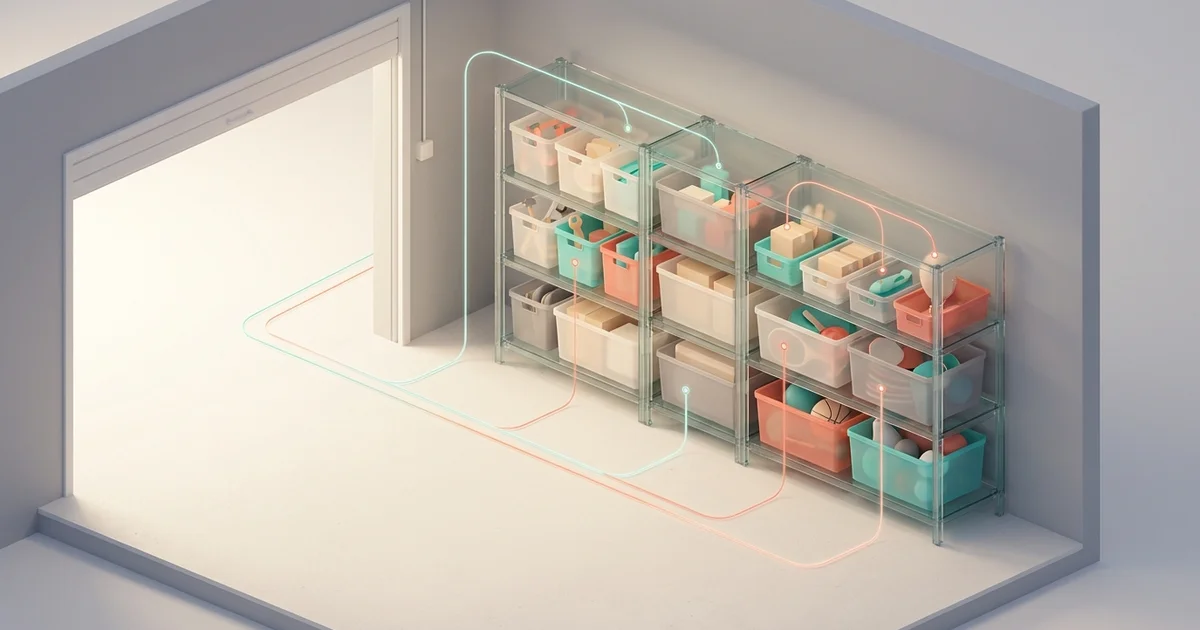
You labeled the boxes. Organized by category. Still can't find anything? Flat categories like "Tools" don't match how your brain thinks—or how your stuff is actually stored. There's a better way.
The Power of Hierarchical Organization: Why Your Flat Categories Are Failing You
Have you ever stood in front of your closet, garage, or storage unit, knowing exactly what you're looking for—but having absolutely no idea where to find it? You remember labeling everything. You remember putting things in boxes. So why does finding a single item feel like an archaeological expedition?
The answer lies in how you've structured your organization system. If you've been using flat categories—dumping everything into broad, single-level groups like "Tools" or "Holiday Stuff"—you're fighting against the way your brain naturally processes information. The solution? Hierarchical organization that mirrors how your stuff is actually stored.
Let's dive into why storage hierarchy works, how it should mirror the real world, and how Squared Away's approach finally makes sense of your spaces.
Why Flat Categories Eventually Collapse Under Their Own Weight
When you first start organizing, flat categories seem efficient. One box labeled "Crafts." One bin marked "Sports Equipment." Simple, right?
The Scalability Problem
Here's what happens: that "Crafts" box starts with a few paintbrushes and some yarn. Six months later, it's bursting with scrapbooking supplies, sewing notions, jewelry-making beads, and your kids' school project materials. Suddenly, "Crafts" means nothing because it means everything.
Flat categories work when you have five items. They fail catastrophically when you have fifty—or five hundred. And let's be honest: most of us have accumulated far more possessions than we realize.
The Mental Load Factor
When categories are too broad, your brain has to do extra work every single time you search for something. "Where did I put the hot glue gun? It's in Crafts... but which Crafts box? The one in the closet or the garage? And is it with the general supplies or did I put it with the kids' stuff?"
This mental gymnastics isn't just frustrating—it's exhausting. Every search becomes a multi-step problem instead of a simple retrieval.
The "Miscellaneous" Trap
Flat systems inevitably produce a dreaded category: Miscellaneous. Or its cousins: "Random," "Stuff," and "Other." These categories are where organization goes to die. They're an admission that your system has failed to account for reality's complexity.
How Hierarchy Mirrors the Way We Actually Think
Here's a secret that librarians, computer scientists, and professional organizers have known for decades: hierarchy isn't just an organizational choice—it's how human cognition naturally works.
Your Brain Already Uses Hierarchy
Think about how you'd describe where you live. You wouldn't say "Earth." You'd say something like: Country → State → City → Neighborhood → Street → House. That's hierarchy in action. We naturally understand that smaller categories nest inside larger ones.
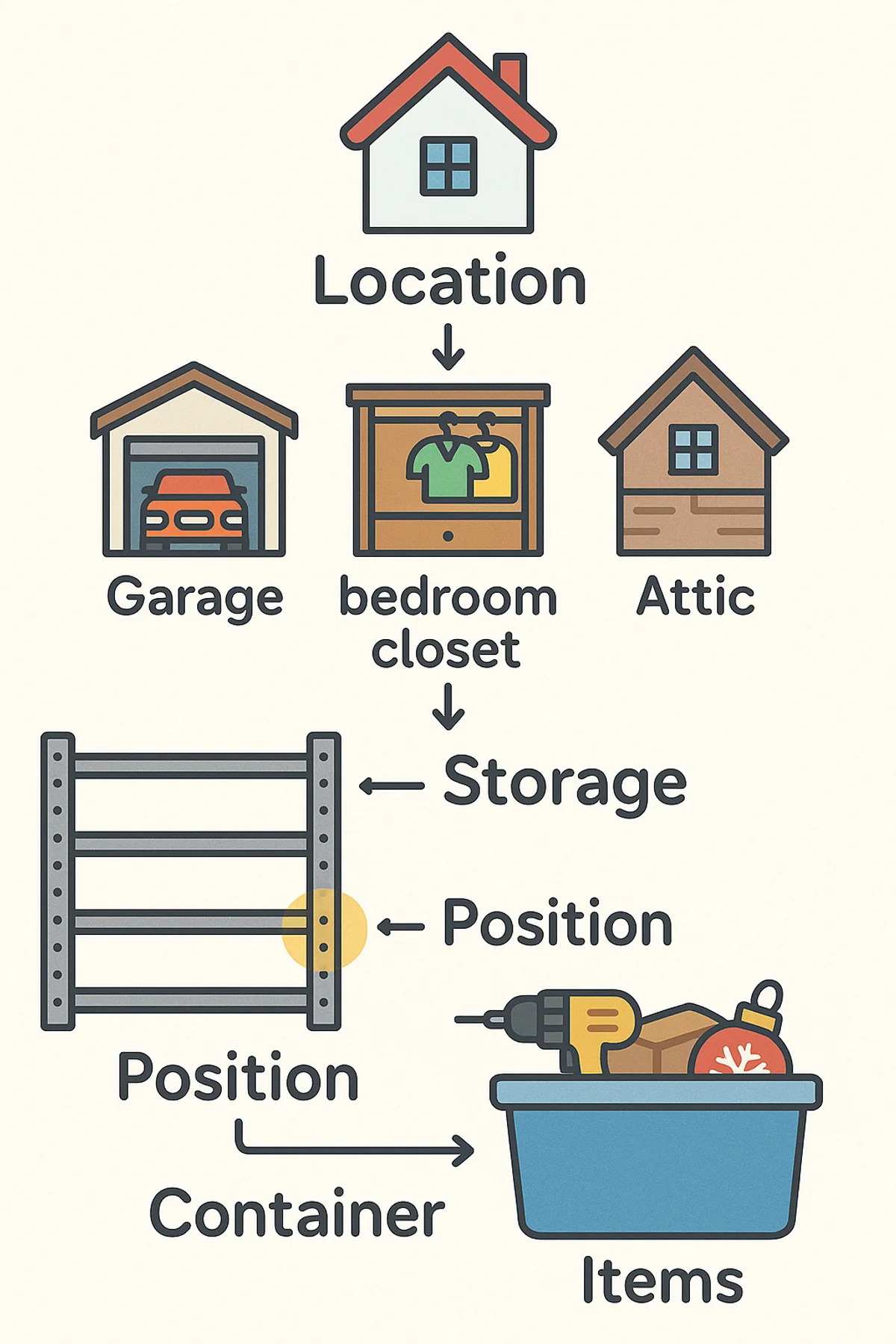
The same principle applies to your belongings. That cordless drill isn't just somewhere in your "Tools"—it's in your Garage → on the Metal Shelving → on Shelf 2 → inside the Red Bin. When your storage system reflects this natural mental model, finding things becomes intuitive rather than frustrating.
Parent-Child Relationships Make Sense
Hierarchical organization creates clear parent-child relationships. Your "Kitchen" contains "Pantry Closet," which contains "Wire Shelving," which contains "Baking Supplies Bin." Each level adds specificity without losing context.
This structure means you can zoom in or zoom out as needed. Looking for something vaguely baking-related? Check the Pantry Closet. Need that specific set of piping tips? Navigate down to the Baking Supplies Bin. The path is logical either way.
Inheritance Simplifies Everything
In a well-designed hierarchy, properties flow downward. If you know something is in your "Storage Unit," you automatically know it's at that facility's address, accessible during certain hours, and stored in a particular climate. You don't have to tag each item with this information—the hierarchy communicates it implicitly.
How Squared Away Models Your Real-World Storage
Most inventory apps force you into rigid category systems that have nothing to do with where things actually live. Squared Away takes a fundamentally different approach: it mirrors the physical reality of how you store things.
The Four-Level Hierarchy
Squared Away uses a intuitive four-level structure that matches how storage actually works:
Location → Space → Storage → Position
Here's what each level represents:
Locations are your top-level physical places—your home, a storage unit, your parents' basement, your office. Each Location can include an address, notes about access, and details like whether it's climate-controlled.
Spaces are distinct areas within a Location. In your home, these might be rooms: Garage, Basement, Master Closet, Attic. In a storage unit, you might define zones like "Left Wall" and "Back Corner."
Storage represents the furniture and fixtures that hold your stuff: a metal shelving unit, a dresser, a filing cabinet, a pegboard. This is where things get specific.
Positions are the individual spots within Storage: Shelf 1, Top Drawer, Hook 3. This final level pinpoints exactly where something lives.
Flexibility Built In
Here's what makes this system powerful: containers and items can live at any level of the hierarchy. Not everything needs to drill down to Position level.
Your lawn mower might sit directly in the Garage (Space level)—no need to specify which shelf because it's obviously on the floor. Your holiday decorations might be in labeled bins on Basement Shelving, Shelf 3 (Position level), with each bin acting as a container holding specific items.
You organize to the level of detail that makes sense for each item. A $2 pack of batteries doesn't need the same precision as a $500 power tool.
Real-World Hierarchy Examples in Squared Away
Let's see how this plays out with actual storage scenarios.
The Garage That Finally Makes Sense
Flat approach (chaos guaranteed):
- Tools (87 items... somewhere)
Squared Away hierarchy (instant retrieval):
📍 Home (Location)
  └─ 🏠 Garage (Space)
       ├─ Metal Shelving Unit (Storage)
       │    ├─ Shelf 1 (Position)
       │    │    └─ 📦 Red Bin → Power tools, drill bits
       │    ├─ Shelf 2 (Position)
       │    │    └─ 📦 Blue Bin → Hand tools, screwdrivers
       │    └─ Shelf 3 (Position)
       │         └─ 📦 Clear Bin → Electrical supplies
       ├─ Pegboard (Storage)
       │    └─ Frequently used hand tools
       └─ Floor Area (Storage)
            └─ Lawn mower, wheelbarrow
Now when you ask "where's my drill?", you get: Garage → Metal Shelving → Shelf 1 → Red Bin. Walk straight to it.
The Seasonal Storage Solution
Squared Away hierarchy for holiday items:
📍 Home (Location)
  └─ 🏠 Basement (Space)
       └─ Storage Shelves (Storage)
            ├─ Top Shelf (Position)
            │    └─ 📦 "Christmas Tree" Box
            ├─ Middle Shelf (Position)
            │    ├─ 📦 "Christmas Ornaments" Bin
            │    ├─ 📦 "Christmas Lights - Indoor" Bin
            │    └─ 📦 "Christmas Lights - Outdoor" Bin
            └─ Bottom Shelf (Position)
                 ├─ 📦 "Halloween Decorations" Bin
                 └─ 📦 "Summer Holidays" Bin
When December rolls around, you know exactly which shelf holds what—and you can check the contents of each bin from your phone before you even head to the basement.
Managing Multiple Locations
This is where hierarchy really shines. Squared Away handles the reality that your stuff isn't all in one place:
📍 Home (Location)
  └─ Various spaces and storage...

📍 Downtown Storage Unit (Location)
  ├─ Unit address and access hours noted
  └─ 🏠 Main Area (Space)
       ├─ Left Wall Shelving (Storage)
       └─ Back Stacked Boxes (Storage)

📍 Mom's House (Location)
  └─ 🏠 Guest Room Closet (Space)
       └─ Items stored during renovation
Everything has a place, even when that place is across town.
Why This Approach Beats Traditional Inventory Apps
Most home inventory apps think in categories: "Electronics," "Furniture," "Clothing." That's useful for what something is, but useless for where it is.
Categories vs. Locations: You Need Both
Squared Away lets you categorize items (that drill is a "Power Tool") while also tracking exactly where it physically lives. When you search, you can filter by category ("show me all my power tools") or navigate by location ("what's in my garage?").
The magic happens when you search naturally: asking "where's my drill?" returns not just that you own a drill, but the exact path to reach it.
The Container System
Squared Away's container system deserves special mention. Containers—bins, boxes, bags, cases—can hold multiple items and live at any level of your hierarchy.
This mirrors reality: you don't always know what Position a container is in (it moves around), but you know it's on the Garage Shelving. Or maybe you know a specific bin is always on Shelf 3. Either way, the system accommodates how you actually organize.
When you snap a photo of a container's contents, every item inside inherits that container's location. Move the container? All its contents move with it in the app.
Setting Up Your Own Storage Hierarchy
Ready to build a hierarchical system in Squared Away? Here's the approach that works.
Start With Locations
Begin at the highest level: where are your belongings physically stored? Your home is likely your primary Location, but think about others: a storage unit, your office, a vacation property, a family member's house where you're storing overflow.
Create each Location with its address and any relevant notes (access codes, hours, climate control status).
Define Your Spaces
Within each Location, identify the distinct areas. For most homes, these are rooms: Garage, Basement, Master Bedroom, Kitchen, Attic.
Don't over-complicate it. You probably don't need "Hallway" as a Space unless you actually store things there. Focus on spaces that contain stuff you need to track.
Add Storage Furniture and Fixtures
Now walk through each Space and identify the storage that holds your belongings: shelving units, dressers, cabinets, closet systems, pegboards, toolboxes. Each becomes a Storage entry.
Give them descriptive names you'll actually remember: "Metal Shelving by Door" is better than "Shelving Unit 1."
Get Specific With Positions (When It Matters)
For Storage with multiple distinct areas—like a six-shelf unit or a dresser with drawers—add Positions. "Shelf 1" through "Shelf 6," or "Top Drawer," "Middle Drawer," "Bottom Drawer."
Skip this step for storage that doesn't need it. A single-shelf floating bookcase doesn't require Position tracking.
Add Items Where They Live
Now you're ready to add items. As you photograph and add each item, place it at the appropriate level of your hierarchy. A car in the garage sits at the Space level. A screwdriver set goes in a specific bin on a specific shelf.
Squared Away's AI helps here—it identifies items from photos and suggests categories—but you guide where each item lives in your physical hierarchy.
The Payoff: Finding Anything in Seconds
Once your hierarchy is set up, the magic happens. Squared Away's natural language search understands your structure.
Ask "where are my Christmas lights?" and you don't get a generic "Holiday Decorations" category to dig through. You get: Basement → Storage Shelves → Middle Shelf → "Christmas Lights - Outdoor" Bin.
That's the difference between wandering your basement opening boxes and walking directly to the exact bin you need.
Better yet, the visual system means you can see what's in a container before you open it. Pull up the bin's contents on your phone, confirm the outdoor lights are inside, then grab it. No excavation required.
Take Control of Your Spatial Organization
Flat categories feel simple, but they create complexity. Hierarchical organization that mirrors your physical reality creates the kind of simplicity that means you find what you need in seconds instead of minutes.
Squared Away's Location → Space → Storage → Position model isn't just an arbitrary structure—it's how your stuff is actually organized in the real world. When your digital inventory matches your physical reality, retrieval becomes effortless.
Your belongings deserve a system as sophisticated as your brain's natural way of processing space. Ready to transform how you organize your world?
Download Squared Away and start building a storage hierarchy that finally makes sense. Your future self—the one who finds the holiday lights on the first try—will thank you.
Related Articles
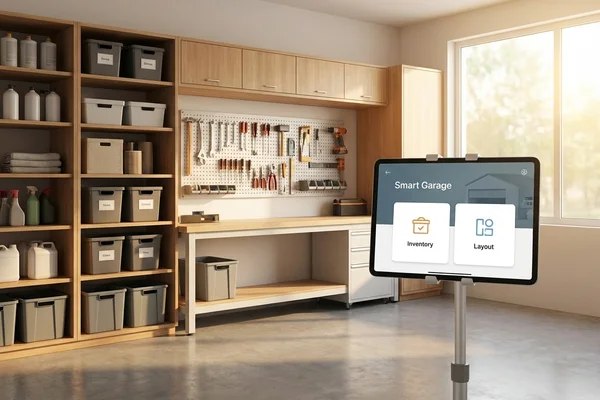
Organizing Your Garage: A Step-by-Step Guide
Complete garage organization guide: assessment, categories, storage solutions, maintenance, using Squared Away
Why You Can't Find Anything (And It's Not Your Fault)
You waste 4.3 hours weekly searching for things you own. It's not laziness—your brain forgets 50-70% of information in 24 hours.